Office 2024
Office 2024
Microsoft Office 2024 is a perpetual, one-time purchase productivity suite offering classic desktop applications without a recurring subscription fee

Microsoft Office 2024 is a perpetual, one-time purchase productivity suite offering classic desktop applications without a recurring subscription fee
Core Characteristics & Licensing
• Purchase Model: Sold as a lifetime, one-time license for a single PC or Mac, meaning you own it forever once activated.
• No Subscription Required: Unlike Microsoft 365, it does not require an ongoing monthly or annual fee, and you can work completely offline without an active internet connection.
• Support Lifecycle: Consumer editions are supported under the Modern Lifecycle Policy, with standard lifecycle support ending on October 9, 2029.
• System Requirements: Requires Windows 10 or later for PC, or one of the three most recent versions of macOS for Mac.
Key Application Upgrades
• Excel 2024: Includes 14 new text and array functions, dynamic charts that automatically update with dynamic arrays, and faster overall performance when handling large workbooks.
• PowerPoint 2024: Features the "cameo" tool to insert live camera feeds directly into slides, alongside an updated Recording Studio.
• Word 2024: Enhances session recovery to help restore your work if an application unexpectedly closes, plus added support for OpenDocument Format (ODF) 1.4.
• Outlook 2024: Improves email search accuracy and introduces flexible meeting-creation tools.
• OneNote 2024: Updates the Draw tab with a wider assortment of digital ink pen colors and sizing options.
New default Office theme
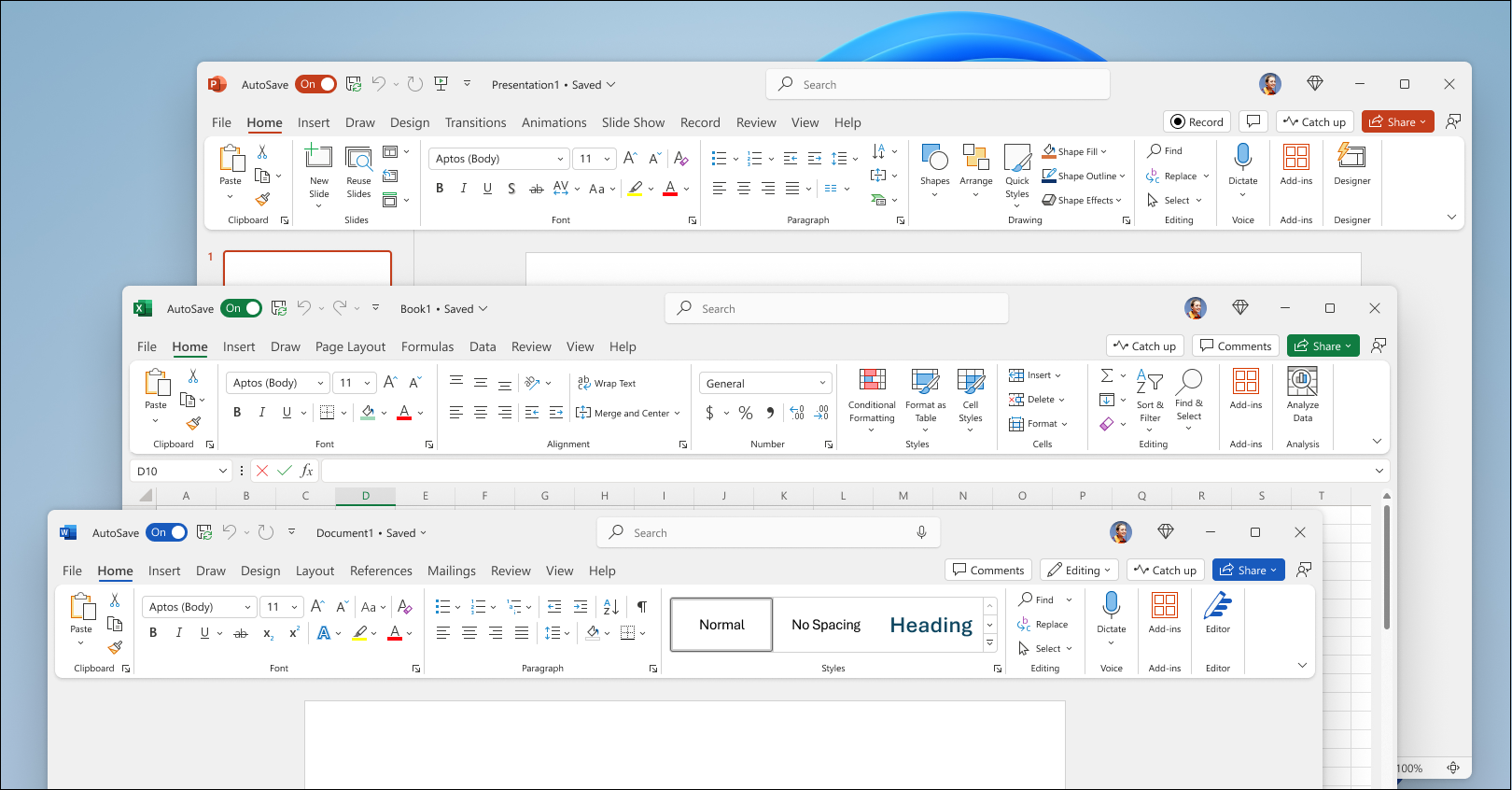
Based on feedback from users like you, Office 2024 has a more natural and consistent experience within and between your Office apps. This new look applies Fluent Design principles to deliver an intuitive, familiar experience across all your applications. It shines on Windows 11, while still enhancing the user experience on Windows 10.
See The new look of Office.
New in:
Improved accessibility tools
Office LTSC 2024 has added several new and improved features to make your documents, slideshows, workbooks, and emails more accessible for everyone.
See Accessibility Ribbon.
New in:
Insert a picture from a mobile device
It used to take several steps to transfer images from your phone to computer, but now you can use your Android device to insert pictures directly into your content in Office LTSC 2024.
See Insert photos from your Android phone into Word, Excel, and PowerPoint for Windows files.
New in:
Support for OpenDocument Format (ODF) 1.4
We now include support for the OpenDocument format (ODF) 1.4. The ODF 1.4 specification adds support for many new features.
See Microsoft 365 apps now support OpenDocument Format 1.4.
New in:
Give a Like reaction to a comment
Quickly identify new comments or new replies with the blue dot and show your support to a comment with a Like reaction.
See Add, change, hide, or delete comments in a presentation.
New in:
Dynamic charts with dynamic arrays
In Excel 2024, you can now reference Dynamic Arrays in charts to help visualize datasets of variable length. Charts automatically update to capture all data when the array recalculates, rather than being fixed to a specific number of data points.
See Dynamically display the contents of a cell or range in a graphic object.
New in:
Text and array functions
There are now 14 new text and array functions in Excel 2024 that are designed to help you manipulate text and arrays in your worksheets. These functions make it easier to extract and split text strings and enable you to combine, reshape, resize, and select arrays with ease.
See Announcing New Text and Array Functions.
New in:
New IMAGE function
Now in Excel 2024, you can add pictures to your workbooks using copy and paste or you can use the IMAGE function to pull pictures from the web. You can also easily move, resize, sort, and filter within an Excel table without the image moving around.
See Insert Picture in-cell in Excel.
New in:
Faster workbooks
The speed and stability of Excel 2024 workbooks have been improved, reducing the delays and hang-ups that arise when multiple workbooks with independent calculations are open at the same time.
New in:
Present with cameo
With cameo, you can insert your live camera feed directly on a PowerPoint slide. You can then apply the same effects to your camera feed as you can to a picture or other object, including formatting, transitions, and styles.
See Presenting with cameo.
New in:
Create a video in Recording Studio
Record your PowerPoint presentation—or just a single slide—and capture voice, ink gestures, and your video presence. Export your recorded presentation as a video file and play it for your audience.
See Record your presentation.
New in:
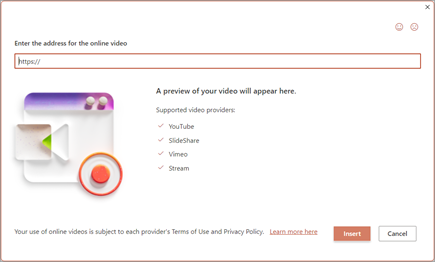
Embed Microsoft Stream (on SharePoint) videos
Add Microsoft Stream (on SharePoint) videos to the presentation to enhance and enrich your storytelling.
See Insert a video from YouTube or another site.
New in:
Add closed captions for video and audio
You can now add closed captions or subtitles to videos and audio files in your presentations. Adding closed captions makes your presentation accessible to a larger audience, including people with hearing disabilities and those who speak languages other than the one in your video.
See Add closed captions or subtitles to media in PowerPoint.
New in:
Improved search for email, calendars, and contacts
New improvements have been added to search in Outlook 2024 to boost messages, attachments, contacts, and calendar entries so that when you type your search it surfaces the most relevant suggestions.
See How to search in Outlook.
New in:
More options for meeting creation
Outlook 2024 gives users more options while creating or managing meetings, helping you carve out breaks between calls by automatically shortening meetings depending on their length.
See End meetings early or start late.
New in:
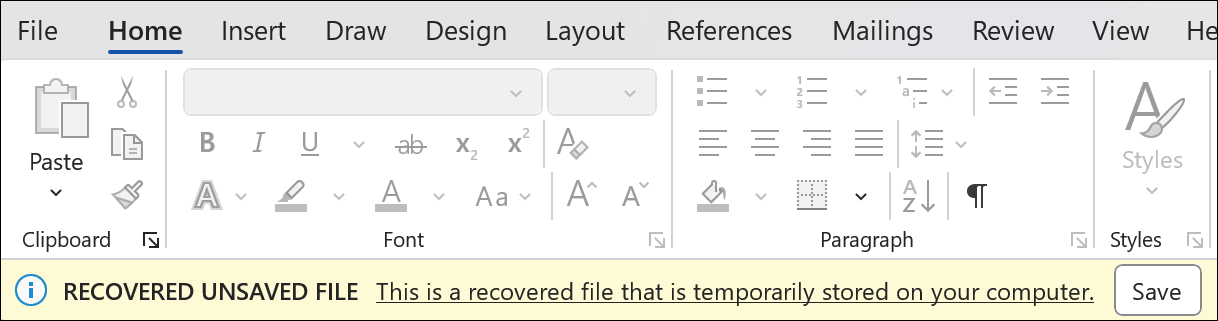
Recover your Word session
When Word 2024 closes unexpectedly before you save your most recent changes, Word automatically opens all the documents you had open when the process closed, allowing you to continue where you left off.
See Recover your Word files and documents.
New in:
Improved Draw tab and ink features
OneNote LTSC 2024 has many new features and updates to existing tools to make your inking and Draw tab experience more robust and customizable. Now your ink will render instantly when drawn with your Surface pen and look just as good as traditional ink on paper. OneNote LTSC 2024 also now has more color and size options for your drawing tools, and better organization of the tools for easier access.
See New Draw tab and ink tools in OneNote on Windows.
New in:
Access Dataverse Connector with Power Platform
Unlock new capabilities organizations need and want like mobile solutions and Microsoft Teams integration. Keep the value and ease of use of Access together with the value of cloud-based storage.
See Get started: Migrate Access data to Dataverse.
New in:
Even more shapes, stencils, and templates
Visio 2024 has even more shapes, stencils, and templates to help you create diagrams. Visio Standard 2024 now brings many new icons, sticky notes to brainstorm, and a plethora of infographics like pictograms and To-Do-Lists to name a few. Visio Professional 2024 includes all the added content from Standard and includes 10+ new Azure stencils, and more network and software content like Kubernetes Shapes and Yourdon-Coad Notations.
See Find more shapes and stencils.
New in:
Office 2024: Visual Guide
Explore every illustration included with the Office 2024 guide.